
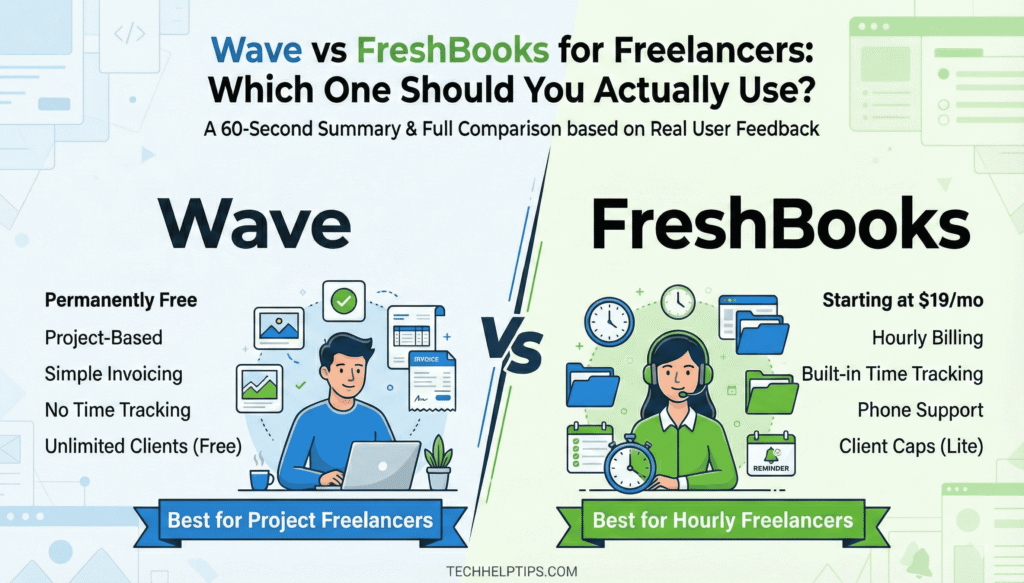
Wave vs FreshBooks for Freelancers: Which One Should You Actually Use?
⚡ 60-Second Summary
Wave is permanently free, simple, and reliable for project-based solo freelancers. No time tracking. Payroll is widely reported as unreliable — avoid it.
FreshBooks starts at $23/month, has built-in time tracking on every plan, and real phone support. Best for hourly freelancers. 5-client cap on entry plan is a real limitation.
The deciding question: Do you bill by the hour or by the project? That single answer determines which tool is right for you.
If you are comparing wave vs freshbooks, you are asking a smarter question than most. Both Wave and FreshBooks are marketed at freelancers. Both handle invoicing and basic bookkeeping. But they are built around completely different assumptions about how you work — and that difference determines which one is actually worth your time and money.
This comparison is based on real user feedback from Reddit and G2 reviews, not marketing pages. We have looked at what actual freelancers and small business owners say after months of using both tools — the good and the bad.
Jump to what you need:
- Bill by the hour? → Go straight to the FreshBooks section
- Bill by project, want free software? → Go straight to the Wave section
- Just want the verdict? → Skip to How to Choose
- Have employees? → Read the payroll warning first
Quick Comparison Table
| Feature | Wave | FreshBooks |
|---|---|---|
| Starting Price | $0 (Starter) | $23/month (Lite) |
| Free Plan | ✅ Yes — permanently free | ❌ No — 30-day trial only |
| Invoicing | Unlimited (all plans) | Capped at 5 clients on Lite |
| Time Tracking | ❌ Not on any plan | ✅ Built in on all plans |
| Bank Feeds | Pro plan only ($19/mo) | Plus and above ($43/mo) |
| Recurring Invoices | Pro plan only | Plus and above |
| Automated Reminders | Pro plan only | ✅ All plans |
| Double-Entry Accounting | ✅ Free | Plus and above only |
| Multi-Currency Invoicing | Basic support — invoicing only | Inconsistent in practice |
| Payroll | ⚠️ Available — see warning below | Via Gusto add-on |
| Client Limit | Unlimited | 5 (Lite) / 50 (Plus) / Unlimited (Premium+) |
| Data After Cancellation | Export available | ⚠️ Access reported as lost |
| Support — Paid Plans | Chatbot + limited live chat | ✅ Phone and email — all plans |
| Best For | Project-based solo freelancers | Hourly freelancers needing time tracking |
Standard prices as of 2026. FreshBooks frequently runs promotional discounts — always verify current pricing before signing up.
Ready to decide?
👉 Bill by project, want zero cost → Try Wave free | Bill by the hour → Try FreshBooks free for 30 days
No commitment required on either. Wave is permanently free. FreshBooks offers a 30-day trial.
Wave vs FreshBooks — How to Choose
| Choose Wave If… | Choose FreshBooks If… |
|---|---|
| You bill by project or deliverable, not hours | You bill by the hour and need a built-in timer |
| Budget is tight and zero monthly cost matters | You manage retainer clients needing recurring invoices |
| You want simple accounting with no learning curve | You want real phone and email support on all plans |
| You have no employees — avoid Wave Payroll | You need automated payment reminders from day one |
| Your business is US or Canada based | Your client list regularly exceeds 5 active clients |
| You want basic multi-currency invoicing for free | You need double-entry accounting from the start |
Wave Plans — What Each One Offers
Wave has two self-service tiers. Both are built around simplicity for solo operators with no employees.
Wave Starter | $0 Forever
Best for: Solo freelancers who need basic invoicing and bookkeeping at zero cost
What You Get
- Unlimited invoices, estimates, and bills
- Income and expense tracking
- Basic financial reports — profit and loss, balance sheet
- Basic multi-currency invoicing support
- Mobile app for invoicing on the go
- Manual bank transaction entry via CSV upload
What Is Missing
- No automatic bank feeds — manual CSV upload only
- No automatic late payment reminders
- Wave branding on invoices
- No time tracking — on any Wave plan
- Support is chatbot only with limited operating hours
Wave Pro | $19/month or $190/year
Best for: Freelancers who want bank feed automation, branded invoices, and automated reminders
Everything in Starter, Plus:
- Auto-import bank transactions via Plaid
- Auto-merge and categorise bank transactions
- Automated late payment reminders at 3, 7, and 14 days
- Add your logo and remove Wave branding from invoices
- Reusable email message templates
- Discounted payment processing for first 10 transactions/month
Optional Add-Ons
- Receipt scanning: $8/month or $72/year
- Payroll: from $40/month — read the warning below before enabling
FreshBooks Plans — What Each One Offers
💰 Important — FreshBooks Pricing Notice
Standard prices shown below are full rates: Lite $23/mo, Plus $43/mo, Premium $70/mo.
FreshBooks frequently offers introductory discounts of up to 60% off for the first 3 months — as shown on their pricing page right now. These promotional rates can look very different from what you will pay once the discount period ends.
Always check the current rate and note the full price before committing. The discount is real but temporary — budget for the standard price from month four onwards.
FreshBooks Lite | $23/month
Best for: Freelancers with a small, stable client list who need time tracking from day one
What You Get
- Unlimited invoices to up to 5 billable clients
- Unlimited expense tracking
- Estimates and proposals
- Time tracking — built in and connected directly to invoicing
- Automated payment reminders
- Accept credit cards and ACH bank transfers
- Mobile app for iOS and Android
What Is Missing
- Hard cap of 5 billable clients
- No bank reconciliation or double-entry accounting
- No accountant access
- No recurring invoices
- No bank feeds or auto-categorisation
FreshBooks Plus | $43/month
Best for: Freelancers actively billing multiple clients — this is FreshBooks’ real starting point for most working freelancers
Everything in Lite, Plus:
- Up to 50 billable clients
- Automated late payment reminders
- Recurring invoices — ideal for retainer-based work
- Double-entry accounting reports — balance sheet, P&L, cash flow
- Bank reconciliation
- Accountant access
- eSignatures on proposals and estimates
- Automated receipt capture
FreshBooks Premium and Select
Premium ($70/month) adds unlimited clients, project profitability tracking, and advanced reporting. Select is a custom-priced enterprise tier. Neither plan is designed for solo freelancers — they are built for growing agencies and teams. If you find yourself considering either, you have likely outgrown this comparison.
Wave — Full Review
What Is Wave?
When comparing wave vs freshbooks, Wave is a permanently free accounting platform built for freelancers and very small service businesses. It handles invoicing, expense tracking, and financial reporting without a mandatory monthly subscription. Wave was acquired by H&R Block, which has had a meaningful impact on how the product has developed in recent years.
Where Wave Wins — Based on Real User Feedback
The core accounting product consistently earns praise across G2 and Reddit for being clean, simple, and reliable for basic needs. Users with straightforward invoicing requirements — project-based freelancers, consultants, solo operators — find it does what they need without unnecessary complexity. Several long-term Reddit users describe preferring Wave’s accounting interface even over paid alternatives like QuickBooks and Zoho for simplicity.
Bank transaction syncing on the Pro plan works well for categorising expenses at a basic level. Importing transactions and reviewing categories in bulk is consistently described as a meaningful time saver compared to manual entry.
Multi-currency invoicing is a free advantage for freelancers with international clients. Wave supports invoicing in multiple currencies at no cost. The key limitation: receiving payments via Wave Payments only works for US and Canadian bank accounts. For straightforward international invoicing it is useful — for complex foreign exchange accounting it falls short.
Where Wave Falls Short — Based on Real User Feedback
Customer support is the most consistent criticism across reviews.
Both G2 and Reddit users consistently flag Wave’s support limitations. The free plan offers chatbot support with restricted hours. Even paid Pro users report difficulty reaching a helpful human when real problems arise. Multiple G2 reviewers gave 0/5 ratings specifically because of unresolved support issues — not because the software itself failed, but because no one was available to help when it did.
Multiple users across G2 and Reddit have reported having accounts disabled without prior warning or explanation, with limited ability to recover access or data through support. This pattern appears in enough independent reports to be worth factoring into your decision — particularly if your entire invoicing operation depends on the platform.
Wave Payroll is the most important caveat in this article.
Reddit threads from 2024 and 2025 include extensive user reports of reliability issues following the H&R Block acquisition — including W2 errors, payroll data missing from annual reports, and support response times of several months. Multiple users who had relied on Wave for years describe the payroll product as having changed significantly after the acquisition. The consistent advice from experienced Wave users is to use a dedicated payroll service like Gusto or Patriot and keep Wave for accounting and invoicing only.
Some Reddit users have also reported payment holds on larger transactions, with support responses that were slow or unhelpful in resolving them. Several users switched to requesting direct bank transfers for high-value invoices as a result.
Geographic reach is limited. Full Wave functionality is available in the US and Canada only. Bank connections for Australia and several other international regions have been discontinued.
FreshBooks — Full Review
What Is FreshBooks?
In the wave vs freshbooks comparison, FreshBooks is built for service-based freelancers who bill by the hour. Time tracking is included on every plan and connects directly to invoicing. That single workflow — start a timer, stop it, and have hours flow automatically into an invoice — is FreshBooks’ clearest practical advantage and the main reason hourly freelancers choose it over free alternatives.
Where FreshBooks Wins — Based on Real User Feedback
Ease of use is the most consistent praise across G2 reviews, mentioned in over 167 instances. Multiple reviewers specifically note that FreshBooks is designed for people without accounting backgrounds — you do not need to understand bookkeeping to use it from day one.
Time tracking is FreshBooks’ strongest practical advantage over Wave. The built-in timer connects directly to client invoicing — when work is done, hours appear automatically on the invoice. For consultants, designers, lawyers, and anyone billing by time, this removes genuine daily friction. Wave has no time tracking on any plan, making this a clear FreshBooks win for hourly workers.
Customer support is a genuine differentiator. G2 reviewers mention support quality in over 77 instances as a top advantage. Phone support is available on all paid plans and is consistently praised — a meaningful contrast to Wave, where even paid users report difficulty reaching a real person.
Recurring invoices and automated payment reminders on the Plus plan are consistently valued by freelancers with retainer clients. Set-and-forget monthly billing is a real operational time saver for ongoing client relationships.
Where FreshBooks Falls Short — Based on Real User Feedback
Pricing is the most consistent frustration — and it compounds over time.
G2 reviewers flag pricing concerns in over 30 instances. Long-term users note the cost has increased significantly since they first signed up. The introductory discount model means new users often underestimate what they will pay after the promotional period ends.
The client cap on Lite forces upgrades at frustrating moments. G2 reviewers describe needing workarounds to stay within the 5-client limit on plans they are already paying for.
A significant number of long-term users reported disruption when FreshBooks migrated its payment processing system in 2024.
FreshBooks moved users from their existing Stripe integrations to its own internal payment gateway. For freelancers with years of payment history, compliance records, and integrations tied to their Stripe accounts, this change was disruptive. Multiple long-term users — including some who had been customers for five or more years — reported leaving the platform specifically over this transition. Several G2 reviews from this period gave 0/5 or 1/5 ratings directly tied to this change.
Some G2 reviewers have reported that FreshBooks holds incoming payments for several days to a week before releasing funds. According to these reports, the hold is removed only on the higher-tier plans — which is worth knowing if prompt cashflow matters to your business.
Data access after cancellation is a risk worth knowing about.
At least one G2 reviewer reported losing access to all historical invoices and client records after cancelling their subscription. This was not clearly communicated during signup. Export your data regularly and keep PDF copies of all invoices — do not rely solely on in-app access for your business records.
Accounting depth is limited relative to the price. Bookkeepers who work with FreshBooks-based clients consistently describe it as suitable only for basic income and expense tracking. Journal entries are required for anything more complex. Financial reports sometimes need to be exported and adjusted manually.
Multi-currency invoicing is inconsistent in practice. Despite FreshBooks marketing support for multiple currencies, independent testing has found currency settings can revert to USD. For freelancers regularly billing international clients, Wave’s basic multi-currency invoicing is more reliable at the invoicing level.
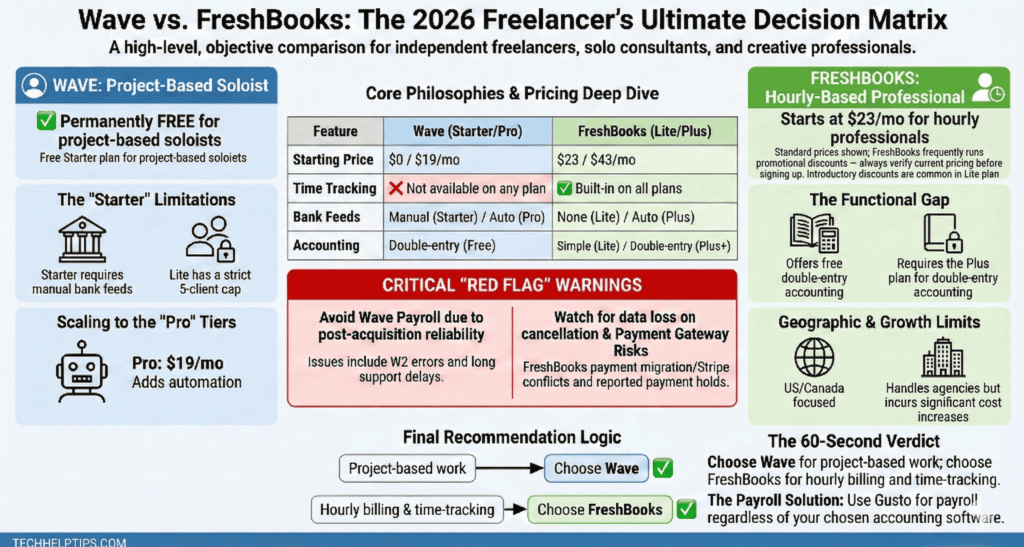
Which One Wins for Your Situation
💻 Solo Project-Based Freelancers
Wave wins. Zero cost, unlimited invoicing, clean interface. It covers everything a one-person project-based business needs without a monthly subscription. Keep regular data exports as a habit given the platform risks.
⏱️ Hourly Freelancers
FreshBooks wins. The native timer-to-invoice workflow removes genuine daily friction Wave cannot replicate without third-party tools. Go straight to Plus at $43/month — Lite’s 5-client cap will cause problems for most active freelancers quickly.
👥 Freelancers With Employees
Neither tool handles payroll reliably enough to recommend without caveats. Multiple users have reported issues with Wave Payroll post-acquisition. FreshBooks connects to Gusto as an add-on. The practical recommendation: use Gusto directly for payroll and pair it with whichever tool suits your invoicing needs.
For more software comparisons for freelancers, browse our accounting tools comparison guides. We also compared Wave vs QuickBooks if you want to see how Wave holds up against the industry standard.
Final Verdict
Wave is the right choice if you are a solo freelancer billing by project, working on a lean budget, with simple bookkeeping needs. The free Starter plan handles invoicing, expense tracking, and basic reporting reliably for this use case. Upgrade to Pro at $19/month for bank automation and branded invoices. Avoid Wave Payroll — the user reports are consistent and clear on this.
FreshBooks is the right choice if time tracking is central to how you bill. The built-in timer-to-invoice workflow is a genuine daily advantage for hourly professionals. Start with Plus at $43/month — Lite’s 5-client cap will frustrate most working freelancers quickly. Export your data regularly regardless of which plan you are on.
There is no universal winner in the wave vs freshbooks debate. The decision comes down to how you bill — not which tool has a longer feature list. Project-based freelancers go with Wave. Hourly freelancers go with FreshBooks Plus. That is the clearest answer this comparison can give you.
Frequently Asked Questions
Is Wave really completely free?
Wave Starter is permanently free with no time limit. Core accounting, invoicing, and basic multi-currency invoicing are included at no cost. Bank feed automation requires the Pro plan at $19/month. Receipt scanning ($8/month) and payroll are paid add-ons.
Does FreshBooks have a free plan?
No. FreshBooks does not have a permanently free plan. A 30-day free trial is available on all plans. After the trial, plans start at $23/month for Lite — though most active freelancers will need Plus at $43/month due to Lite’s 5-client cap. FreshBooks regularly offers significant introductory discounts, so always note what the full rate will be after the promotional period ends.
Does Wave have time tracking?
No. Wave does not include time tracking on any plan. If you bill by the hour, you will need a separate app — Toggl, Harvest, and Clockify are widely used free options — and manually enter hours into Wave invoices. FreshBooks includes time tracking on every plan including Lite, connected directly to invoicing automatically.
Is Wave Payroll safe to use?
Multiple users have reported significant reliability issues with Wave Payroll following the H&R Block acquisition, including W2 errors, payroll data missing from annual reports, and support response times of several months. These are not isolated complaints — they appear consistently across independent user reports from 2024 and 2025. Many experienced Wave users now recommend using a dedicated payroll service like Gusto or Patriot and keeping Wave only for accounting and invoicing.
Which FreshBooks plan is actually worth it for freelancers?
Plus at $43/month for most working freelancers. Lite’s 5-client cap is a real operational problem for anyone with an active client roster. Skip Premium and Select — those plans are built for agencies and growing teams. If you regularly bill more than five clients, go straight to Plus.
What happens to my data if I cancel FreshBooks?
Based on user reports, cancelling a FreshBooks subscription can result in losing access to historical invoice and client data. Export your data regularly — CSV exports and PDF copies of all invoices. Do not rely solely on in-app access for your business records on any accounting platform.
Does FreshBooks support multiple currencies?
FreshBooks markets multi-currency support, but independent testing has found currency settings can revert to USD in practice. Wave’s basic multi-currency invoicing is more consistent for straightforward international billing at the invoicing level — though Wave Payments for receiving funds only works for US and Canadian bank accounts.
Can I switch from Wave to FreshBooks later?
Yes. Many freelancers start with Wave and move to FreshBooks when their business grows or when they begin billing by the hour. Data migration is not seamless and may require some manual work. Export all Wave data before switching and keep records of all invoices independently of whichever platform you are on.
Which is better overall — Wave or FreshBooks?
Project-based solo freelancer on a budget: Wave Starter, free. Hourly freelancer who needs time tracking: FreshBooks Plus, $43/month. The right tool depends on how you bill — not on which platform has more features on paper.