

- Best for: Rewriting short client drafts, cleaning repetitive copy, polishing non-native English
- Free plan limit: 125 words per paraphrase · 2 modes only (Standard & Fluency)
- Free plan verdict: Genuinely usable for short tasks. Slow for long-form work.
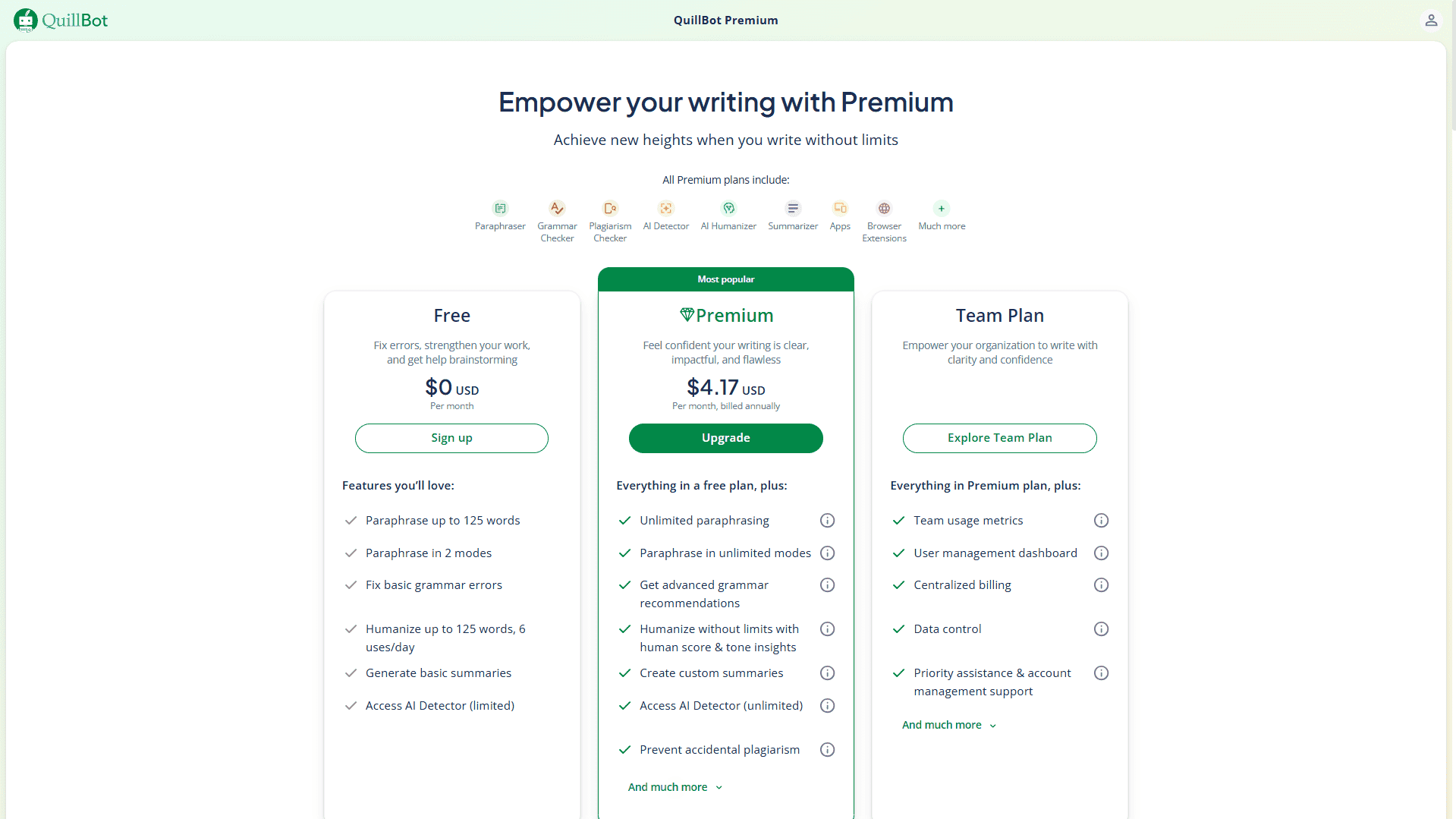
- Premium price: $8.33/month (annual) · $9.95/month · Promo ~$4.17/month with discount codes
- Worth upgrading? Yes — if you regularly write 500+ word deliverables for clients
- Not a replacement for: Grammarly (grammar) or original AI content generators
This QuillBot review for freelancers cuts through the noise and tells you exactly what the free plan can and can’t do for paid client work. QuillBot is one of the most popular paraphrasing tools around — but popularity doesn’t automatically mean it’s the right fit for your freelance workflow. We tested it on real tasks to find out.
I ran QuillBot’s free plan through actual freelance scenarios — rewriting client drafts, cleaning up repetitive copy, summarizing research. No filler, no exaggeration. Here’s what I found.
Try QuillBot Free — No Credit Card Needed
Start with the free plan today. No sign-up friction, no payment required.
What Is QuillBot?
QuillBot is an AI-powered writing assistant built around one core strength: a paraphraser that rewrites your text in different tones and styles without losing the original meaning. Alongside that, it bundles a grammar checker, summarizer, citation generator, AI detector, and translator — all inside one dashboard.
Founded in 2017, it has grown to over 6 million users. It’s especially popular with non-native English speakers, students, and content writers who need to clean up drafts fast. For freelancers, the appeal is practical: multiple writing problems handled in one place, with a free plan that needs no credit card to activate.
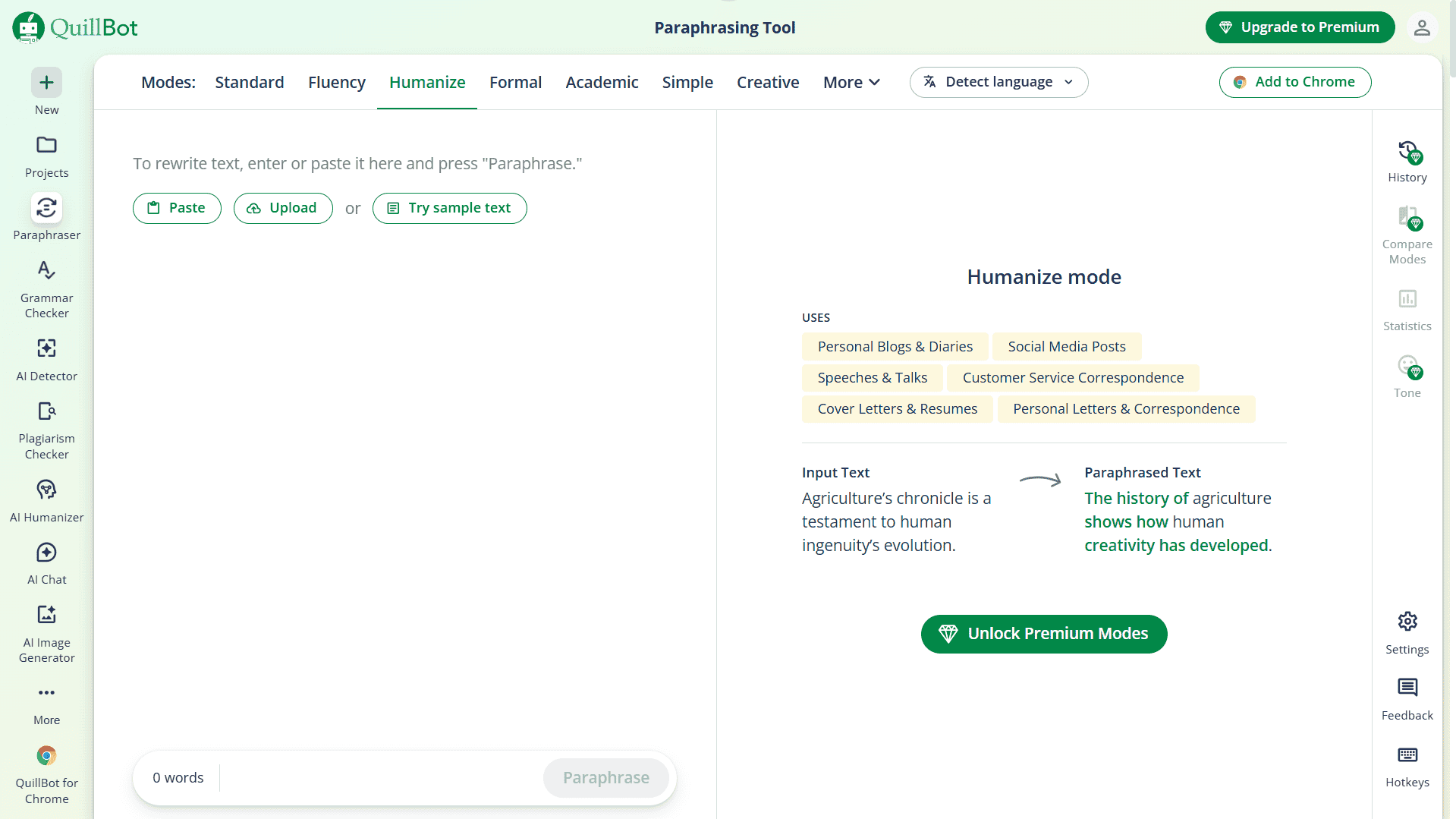
QuillBot Free Plan: What You Actually Get
Let’s be upfront — the free plan works, but it has hard limits. Here’s the full picture before you decide whether it fits your workflow:
| Feature | Free Plan | Premium Plan |
|---|---|---|
| Paraphraser word limit | 125 words per request (unlimited requests) | Unlimited |
| Paraphrasing modes | 2 (Standard, Fluency) | 10+ modes |
| Custom modes | ❌ Not available | ✅ Unlimited |
| Summarizer word limit | 1,200 words per input | 6,000 words per input |
| Grammar checker | ✅ Included | ✅ Unlimited |
| AI Detector | ✅ Included | ✅ Included |
| Plagiarism checker | ❌ Not available | ✅ 20 checks/month |
| Citation generator | ✅ Included | ✅ Included |
| Translator | ✅ Included | ✅ Included |
| Paraphrase history | ❌ Not available | ✅ Up to 50/month |
| Price | $0 — no credit card | $8.33/month(billed annually) as on April 2026 |
The 125-word cap per request is what defines your experience on free. A typical paragraph is 100–150 words — so you’re working through your draft one paragraph at a time. For a 1,500-word article, that’s 12+ separate copy-paste operations. Doable, but slow when you’re on a client deadline.
For short freelance deliverables — a product description, an email rewrite, a LinkedIn caption — the free plan is genuinely enough. The friction only becomes real when you’re tackling longer work.
QuillBot Review for Freelancers: Paraphraser Tested on Real Tasks
The paraphraser is why most people come to QuillBot — and it’s the best tool in the suite. Here’s how it performed across three actual freelance scenarios on the free plan.
Test 1: Rewriting a repetitive client draft
We pasted a 120-word client blog paragraph that used the word “solution” four times. Standard mode cleaned it up without changing the meaning — needed one small manual edit, but saved meaningful thinking time on a task that would otherwise require careful word-by-word reworking.
Test 2: Smoothing out a non-native English draft
Fluency mode is the stronger pick here. It makes text sound more natural without restructuring sentences aggressively. On a 110-word paragraph written by a non-native speaker, Fluency mode removed the awkwardness noticeably — this is the most useful free mode for non-native freelancers working on Upwork and Fiverr.
If English isn’t your first language, our roundup of best free AI writing tools for non-native English freelancers covers QuillBot alongside other strong options tested for the same use case.
Test 3: Paraphrasing to avoid self-plagiarism across niches
Freelancers writing across overlapping topics often reuse structural patterns. We ran a 125-word section of a previously submitted article through QuillBot to see how different the output would be. The result was meaningfully distinct in wording while preserving the argument — reliable for this specific use case.
One rule to follow always: review every output manually. QuillBot occasionally produces a technically correct sentence that sounds slightly off in context. It’s a strong first-pass tool — not a final-pass one.
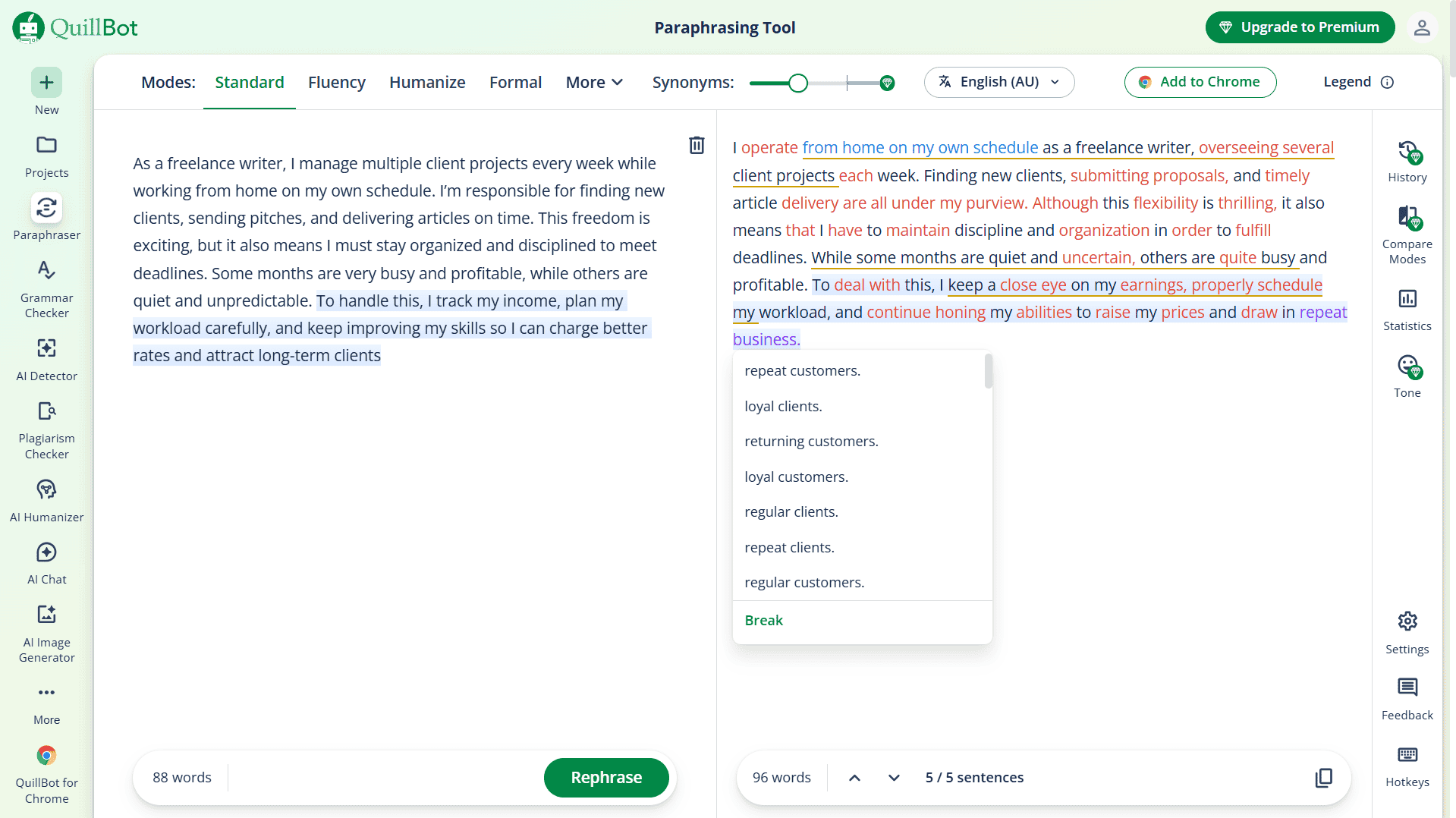
✍️ My Testing Note: I tested QuillBot’s free plan on a 400‑word Upwork deliverable and quickly hit the 125‑word cap, so I had to paste the piece in four separate chunks. The limit felt very restrictive, even for a free tool. Standard mode was roughly 80% usable on the first pass, while Fluency mode produced slightly more natural phrasing on my second paragraph. The constant copying, pasting, and tab‑switching definitely broke my writing flow more than I expected. For this one article, I’d say QuillBot still saved me around 12–15 minutes compared to rewriting everything from scratch.
Other Features Worth Knowing About
Grammar Checker
It works — but it isn’t Grammarly. QuillBot’s grammar checker catches the basics: typos, punctuation errors, subject-verb agreement. It misses the stylistic suggestions and tone-level improvements that Grammarly Premium flags. As a free bundled add-on, it’s adequate. For professional client deliverables, you’d want to pair it with something stronger. We did a full breakdown in our Grammarly review for freelancers if grammar accuracy is your priority.
Summarizer
Genuinely useful for research-heavy work. Free plan allows up to 1,200 words per input — enough to digest a medium-length source article before writing. For longer source material, you chunk it, same as the paraphraser. Not glamorous, but it works.
Citation Generator
Underrated and completely free. Over 1,000 citation styles supported — a real time-saver if you write for academic clients, health websites, or any content requiring properly formatted references. No paywall, no catch.
AI Detector
Free and useful for checking your work before submitting to clients with AI content policies. Treat results as a directional signal — no AI detector is perfectly accurate, but having one built into your workflow costs nothing extra here.
Is QuillBot Premium Worth It for Freelancers?
Straightforward answer: it depends on how much you write.
Stay on free if you only paraphrase occasionally, you’re starting out, or short-form work is most of what you do.
Upgrade if you regularly rewrite 500+ word deliverables, need modes like Academic, Creative, or Shorten, or want plagiarism checking bundled without paying for a separate tool.
At $8.33/month on the annual plan ($99.95/year), Premium is one of the most affordable writing tools at this capability level. The monthly plan at $9.95/month suits short-term or project-based needs. Watch the official site for promotional codes — the annual rate occasionally drops to around $4.17/month with active offers.
For a side-by-side value comparison with its closest competitor, read our QuillBot vs Wordtune for freelance writers breakdown — it covers ROI per article for both tools.
If you’re pairing QuillBot with other tools, see how it sits as the paraphrasing layer in a full AI writing stack for solo bloggers under $50/month.
How QuillBot Compares to the Alternatives
| Tool | Best For | Free Plan | Paid (Annual) |
|---|---|---|---|
| QuillBot Best Value | Paraphrasing + multi-tool suite | 125 words/request, unlimited | $8.33/mo |
| Wordtune | Natural inline rewrites, Google Docs | 10 AI generations/day | $9.99/mo (Unlimited) |
| Grammarly | Grammar, tone, clarity | Basic grammar + 100 AI prompts | $12/mo ($144/year) |
QuillBot wins on price and paraphrasing depth. Wordtune wins on natural output quality and Google Docs integration. Grammarly wins on grammar accuracy and tone detection. Most productive freelancers end up using two of the three depending on what a specific deliverable needs. If you’re not on Grammarly yet, see our free Grammarly alternatives tested on real freelance work — seven tools scored on the same Upwork proposal.
Who Should Use QuillBot — and Who Shouldn’t
QuillBot — Verdict Card
Free · $8.33/moA paraphrasing-first writing suite that works best for freelancers handling repetitive or dense client drafts. Free plan is enough for short tasks. Premium makes long-form rewriting significantly faster.
- Best-in-class paraphraser for meaning preservation
- Unlimited free paraphrases (no daily cap)
- Summarizer, citation generator & AI detector all on free
- Works via Chrome extension, Google Docs add-on, and Word
- Very affordable Premium at $8.33/mo annual
- No credit card needed for free plan
- 125-word cap makes free slow for long-form work
- Only 2 modes free — 8+ locked behind Premium
- Grammar checker is weaker than Grammarly
- No plagiarism checker on free plan
- Copy-paste workflow breaks writing rhythm
Not ideal for: Freelancers whose main need is grammar correction (Grammarly does that better), or anyone wanting an AI tool that generates original content from scratch.
Final Verdict
After testing, this QuillBot review for freelancers lands here: the free plan is genuinely useful — not just a demo that pushes you toward payment. For short-form client work, quick email rewrites, and paragraph-level cleanup, you can get real results without spending anything.
The 125-word limit is the honest ceiling of that usefulness. Once you’re working on full articles or long deliverables regularly, the friction builds fast — and at $8.33/month annually, Premium is easy to justify if freelancing is a serious income source for you.
It won’t replace Grammarly for grammar, and it won’t generate original content for you. But as a paraphrasing-first tool for freelancers, it’s the strongest value option in its category.
Frequently Asked Questions
Related Posts
QuillBot vs Wordtune for Freelance Writers (2026): Which One Is Actually Worth Paying For?
Grammarly Review for Freelancers (2026): Is Premium Worth It?
Best Free AI Writing Tools for Non-Native English Freelancers (2026)
Otter.ai Review for Freelancers (2026): Honest Look at What You Actually Get
