
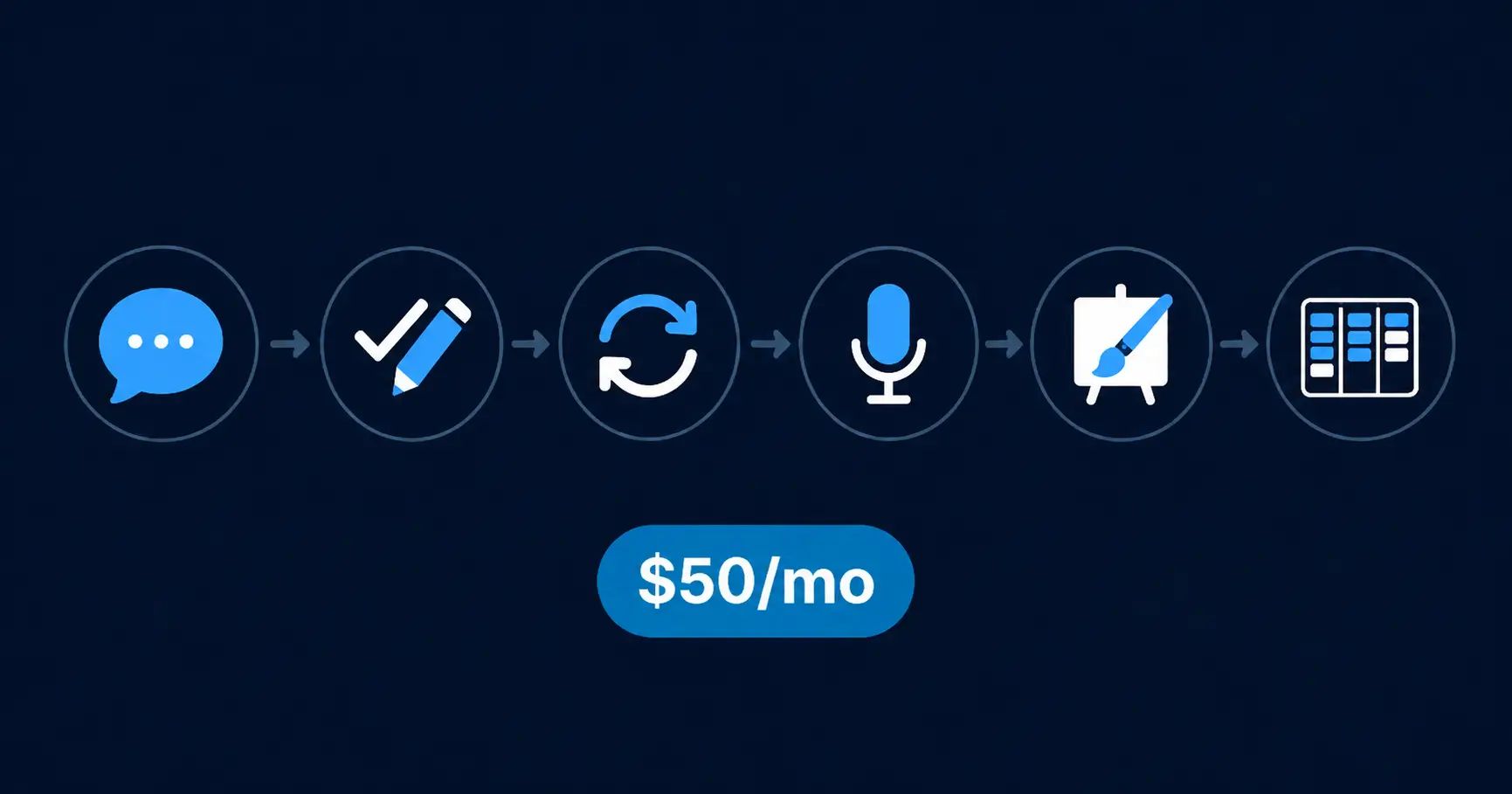
Most “best AI writing tools” lists hand you 30 options and zero direction. You don’t need 30 tools. You need an ai writing stack, a workflow — one that covers drafting, editing, paraphrasing, transcription, visuals, and organization without blowing past $50 a month. I reviewed each of these tools individually, tested their free plans, and verified pricing from official sources. Here’s the stack I’d recommend to any solo blogger or solopreneur running a one-person content operation on a real budget.
Warning: The most common mistake bloggers make with AI tools is subscribing to three or four overlapping services, then using none of them consistently. This stack is built to avoid that — each tool handles one job, no overlap.
Quick Verdict
Six tools. One workflow. Every tool has a usable free plan, so you can start at $0 and upgrade only when a specific limit actually slows you down. The three paid upgrades total roughly $32/month on annual billing — well under $50. If you write in English as a second language, this stack is especially useful. Three of the six tools — Grammarly, QuillBot, and Wordtune — specifically help non-native writers produce clearer, more natural prose. Skip this stack if you publish more than five posts per week or run a content team — you’ll need heavier tools like Jasper.
How I Built This Stack
How I Tested: I reviewed each tool in this stack separately — testing free plans, checking paid upgrade limits, and verifying pricing from official sources. This article assembles those findings into a single workflow. No tool was included based on marketing claims. Every recommendation links to my full review where you can see the detailed breakdown. Testing time per tool: 45–60 minutes. Stack assembly and pricing verification: 30 minutes.
The goal was simple: cover every stage of the solo blogging workflow using tools I’ve already vetted, without overlapping features or wasting budget. Each layer handles one job. No tool tries to do everything.
The $50/Month AI Writing Stack
Layer 1: Drafting — ChatGPT (Free)
Your first draft doesn’t need to be perfect. It needs to exist. ChatGPT’s free tier handles blog outlines, rough drafts, and brainstorming without costing anything. It’s the strongest free drafting tool available right now — no sign-up friction, no word limits on output, and good enough for a rough first pass on any blog post.
ChatGPT doesn’t replace your voice. Think of the drafting layer as a starting point you’ll reshape through the rest of the stack, not a finished product.
Layer 2: Editing and Grammar — Grammarly
This is where most solo bloggers should spend their first upgrade dollar. Grammarly’s free plan catches spelling, basic grammar, and punctuation errors — enough for casual posts. But the paid plan unlocks tone detection, clarity rewrites, and full-sentence restructuring. For non-native English writers, that difference matters. Grammarly Premium is the single highest-impact upgrade in this entire stack.
The browser extension works inside WordPress, Google Docs, Gmail, and most web apps, so it catches errors wherever you write — not just inside a dedicated editor.
Tip: If Grammarly’s pricing doesn’t fit your budget yet, start free and revisit once you’re publishing consistently. The free plan is genuinely useful, not a stripped-down demo.
Start With the Highest-Impact Upgrade
Grammarly’s free plan catches the basics. The Pro plan catches everything else — tone, clarity, full-sentence rewrites.
Layer 3: Paraphrasing and Clarity — QuillBot
Editing fixes errors. Paraphrasing fixes awkwardness. These are different problems, and most bloggers conflate them. QuillBot helps you rephrase clunky sentences, simplify dense paragraphs, and find clearer ways to say what you mean — especially useful when you can feel a sentence is off but can’t pinpoint why.
The free plan limits how much text you can process at once. The paid plan removes that cap and adds more paraphrasing modes. If you find yourself hitting the free limit regularly, it’s worth upgrading. If not, stay free.
Wordtune does similar work with a slightly different approach — I compared both in my QuillBot vs Wordtune breakdown. Either works at this layer. I lean QuillBot for the broader mode selection, but check the Wordtune review if you prefer a more opinionated rewrite style.
Layer 4: Transcription and Meeting Notes — Otter.ai
Not every blogger needs transcription. But if you record voice notes, interview sources, or repurpose audio into blog posts, Otter.ai’s free plan handles it without adding a dollar to the stack. The free tier gives you enough monthly minutes for light use. You’ll only need to upgrade if transcription becomes a core part of your workflow — and for most solo bloggers, it won’t.
Layer 5: Visuals and Graphics — Canva
Blog posts need featured images, social graphics, and occasional in-post visuals. Canva’s free plan covers the basics — templates, drag-and-drop design, resizing for different platforms. The AI features on the free tier handle simple image generation and text-to-image tasks.
Canva Pro adds background removal, brand kits, premium templates, and a much larger asset library. It’s a nice upgrade, not a critical one. Most solo bloggers can stay free until their design needs outgrow the template selection.
Layer 6: Organization and Workflow — Notion (Free)
You need somewhere to plan content, track drafts, and manage your publishing calendar. Notion’s free plan handles all of this — databases, kanban boards, templates, and basic collaboration. It’s the best free content management workspace available for solo bloggers.
A note on Notion AI: full AI access requires Notion’s Business plan at $20/month, which alone would eat nearly half this stack’s budget. Since ChatGPT already handles drafting at Layer 1 for free, there’s no reason to pay for Notion AI separately. Use Notion for organizing, ChatGPT for drafting.
One workspace for planning plus a free drafting tool beats paying $20/month to combine them.
What This Stack Costs
Every tool below has a functional free plan. Upgrade only when a specific limit blocks your workflow.
| Layer | Tool | Free Plan? | Paid Tier | Monthly Cost (Annual) | Pricing Source |
|---|---|---|---|---|---|
| Drafting | ChatGPT | ✓ | — | $0 | openai.com |
| Editing | Grammarly | ✓ | Pro | $12/mo | grammarly.com/plans |
| Paraphrasing | QuillBot | ✓ | Premium | $8.33/mo | quillbot.com/premium |
| Transcription | Otter.ai | ✓ | — | $0 | otter.ai/pricing |
| Visuals | Canva | ✓ | Pro | $12/mo | canva.com/pricing |
| Organization | Notion | ✓ | — | $0 | notion.so/pricing |
Upgrade priority order (this matters more than the total):
- Grammarly Pro first — highest impact for any blogger, especially non-native English writers. Tone detection and clarity rewrites alone justify this as upgrade #1.
- QuillBot Premium second — upgrade only if you’re hitting the free-plan 125-word limit regularly.
- Canva Pro third — upgrade when you need background removal, brand kits, or premium templates. Most bloggers can wait.
All three upgrades together: roughly $32/month on annual billing. Well under $50, with room to spare. Most solo bloggers only need the first one or two to remove real friction.
Build Your Stack — Start Free
Every tool in this stack has a free plan. Start with Grammarly Free + QuillBot Free and upgrade when limits slow you down.
What This Stack Does Not Cover
This is a writing and content workflow stack. It does not include:
- SEO optimization tools (Surfer SEO, Clearscope) — these cost $49–89/month alone and exceed the budget
- AI art generation (Midjourney, DALL-E) — Canva’s built-in AI covers basic needs
- Social media scheduling (Buffer, Hootsuite) — separate category, separate budget
- Email marketing (MailerLite, beehiiv) — essential but outside the writing workflow
For a solo blogger publishing 2–4 posts per month, this stack covers the writing workflow end to end. The tools above are worth adding later, on a separate budget line.
Who Should Not Use This Stack
Skip this if:
- You publish 5+ posts per week. At that volume, you need a dedicated AI writer like Jasper or Writesonic that generates full drafts faster than ChatGPT free. The editing-and-paraphrasing layers still apply, but the drafting layer needs to be heavier.
- You run a content team. Grammarly Business, Notion Team plans, and collaborative AI writers all cost more — and you need them.
- You only write in English natively and don’t need paraphrasing. Drop QuillBot from the stack and save that budget for something else. The stack still works as five tools.
- You need video or podcast production. That’s a different stack entirely.
Alternatives I Considered
Jasper AI — solid AI writer, but starting at $39/month (annual) it eats most of the budget on one tool. I reviewed it in my Jasper AI review. Worth it for high-volume publishers; overkill for solo bloggers doing 2–4 posts per month.
Writesonic — capable and cheaper than Jasper. Good alternative at the drafting layer if ChatGPT free feels limiting. But adding a paid AI writer on top of the editing and paraphrasing layers pushes the total past $50.
Wordtune — legitimate alternative to QuillBot at Layer 3. Different rewrite philosophy. See my QuillBot vs Wordtune comparison to decide which fits your writing style.
If your budget is truly $0, see my full guide to free AI writing tools for non-native English writers. Every tool in that guide works as a free-only version of this stack.
Frequently Asked Questions
The Verdict
You don’t need a $200/month AI suite to run a solo blog. Six tools — each with a free plan, each doing one job well — cover the full content workflow from draft to published post. Start at $0. Upgrade Grammarly first when you’re ready. Add QuillBot and Canva when their free limits start costing you time. All three paid upgrades together come to roughly $32/month — well under $50, and most solo bloggers won’t need all three at once.
The stack works because each tool handles a different stage of the workflow, not because any single tool is the best AI writer on the market. That’s the point — a focused toolkit beats a Swiss Army knife you’ll never fully use.
Related Reads
- Best Free AI Writing Tools for Non-Native English Writers
- QuillBot vs Wordtune: Which Is Better for Paraphrasing?
- Grammarly Alternatives Free
- Notion AI Review for Freelancers
